Title Building a Russian Nesting Doll of Doom | |
Date | SourceFailing Loudly |
Last week, after a multiyear hiatus from Elon’s hellscape, I made a reluctant return to the Platform-Formerly-Known-As-Twitter. I hate this place for many reasons, but I finally started poking around to see what people are yapping about these days.
I came across this:
This is fun for two reasons:
-
There is a recent trend in software of trying to turn all of our tools and platforms from GUIs (Graphical User Interfaces) back into TUIs (Terminal User Interfaces) so that terminal agents can use them more easily.
-
There is a longstanding tradition among developers of trying to get stuff to run in places it was never supposed to run.
In some ways, moving back into the terminal feels a little bit like abandoning books in favor of clay tablets.
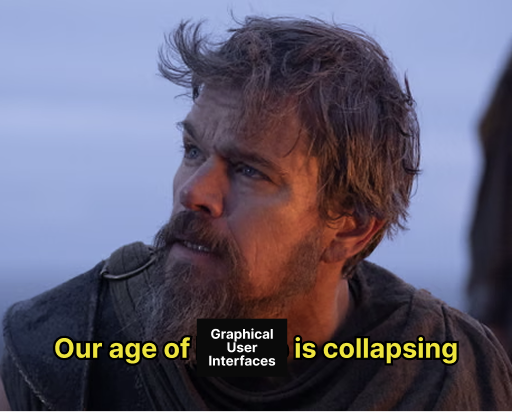
But is this still true? The humble terminal has come a long way from where we left it years ago. Modern terminals can display pixel buffers, and we can even run entire browsers in the terminal. This, combined with decades of scripting, tooling, remote-accessibility, etc. means that we can do more in the back with less in front than ever before. For years, we put terminals inside our code editors. Now, the terminal has swallowed the editor.
That’s kind of funny.
The inversion of putting VSCode inside the terminal made me wonder: if a terminal can contain an entire graphical editor, what else can it contain?
This brought me to one of the most-asked questions in the history of software development: can it run Doom?
For those unfamiliar, Doom is a 1993 video game developed by id Software that follows an angry Space Marine called Doomguy as he fights demons and zombies on Mars and Hell. For decades, aspiring hackers have been modifying the source code to Doom and trying to get it to run on new systems. In 2006, a YouTuber named KevlarGorilla released a video “Doom on Nintendo DS” which kicked off a frenzy of ports. People soon got Doom to run on a TI-83 graphing calculator, a John Deere tractor, and a pregnancy test.
This weekend, I decided to follow this hallowed tradition and graffiti my own mark on the slimy sewer tunnel of technological advancement.

Doomdoomdoom
Doomdoomdoom is an adventure in code injection, nested rendering, and scripting. These are seven layers of hell:
-
Level 1 - A terminal on your computer (Kitty)
-
Level 2 - VSCode running inside your terminal (terminal-code)
-
Level 3 - Another terminal running inside VSCode
-
Level 4 - A browser running inside that terminal (terminal-browser)
-
Level 5 - a DOS emulator running inside that browser (js-dos + dosbox)
-
Level 6 - Doom II running inside the emulator
-
Level 7 - Another game of Doom running inside Doom via code injection

What did we learn?
Well first and foremost, I learned that I need a job before I become dangerously unhinged and start dedicating more and more of my time towards increasingly useless side quests.
But other than that, there were some interesting learnings here:
-
We aren’t running an emulator inside an emulator. The inner Chocolate Doom game actually runs directly inside the outer Doom game by writing to a framebuffer that displays across four actual “walls” in the game.
-
Doom has two files: doom.exe and doom.wad. The WAD file (literally “Where’s All the Data?”) is a file format id Software developed to store levels, textures, sprites, and sounds separately from the game engine in the .exe file. I originally thought the WAD was a library of static assets, but it turns out it can be hypnotized into its own application. The doom-in-doom project uses arbitrary code execution to borrow functions., install new hooks, and transfer control from the host executable to a new app. This is some real old-school systems programming stuff.
-
Pixels and commands take different routes. While the actual images on screen flow outwards from doom > doom > emulator > browser > terminal > vscode > terminal, the actual keystrokes and commands you need to launch these layers and play the game flow differently. Getting inputs to flow down the chain without tripping over themselves (you don’t want a game command to trigger an action in the code editor it’s running inside) was a little tricky, so once the games were up and running, I switched over to the Chrome DevTools Protocol to channel inputs directly into js-dos’s command interface.
-
Input ownership was harder than getting the actual thing to render. These exploits are well-documented at this point, so we know it can work. But actually getting the game to play itself programmatically was tricky for the reasons specified above. It took me a while to solve for browser focusing, nested terminals, keyboard locks, etc.
-
I didn’t actually want to play Doom, I wanted my LLM to play Doom. This made the project architecture important. I used stuff like pinned runtimes, checksum-verified public assets, a deterministic private game bundle, repeatable recording path, and a native DOSBox reference path to give my clanker a stable platform where it could “learn” how to pierce this onion and play the game without endlessly spiraling and repeating its work.
Mostly, I reminded myself that software can be fun. The limitations we had back in the day meant that code was often shockingly composable and portable, and building this gimmick felt a little bit like reaching back in time to shake hands with the original developers. We have a 1993 video game, DOS emulation, WASM-era browser tooling, terminal graphics rendering, and nested applications all holding hands and working together in 2026.
Conclusion
The practical lesson in all this is that nested applications require explicit ownership of time, input, memory, and rendering. The less practical lesson is that computers are extremely funny when asked to do something they weren’t designed to do.